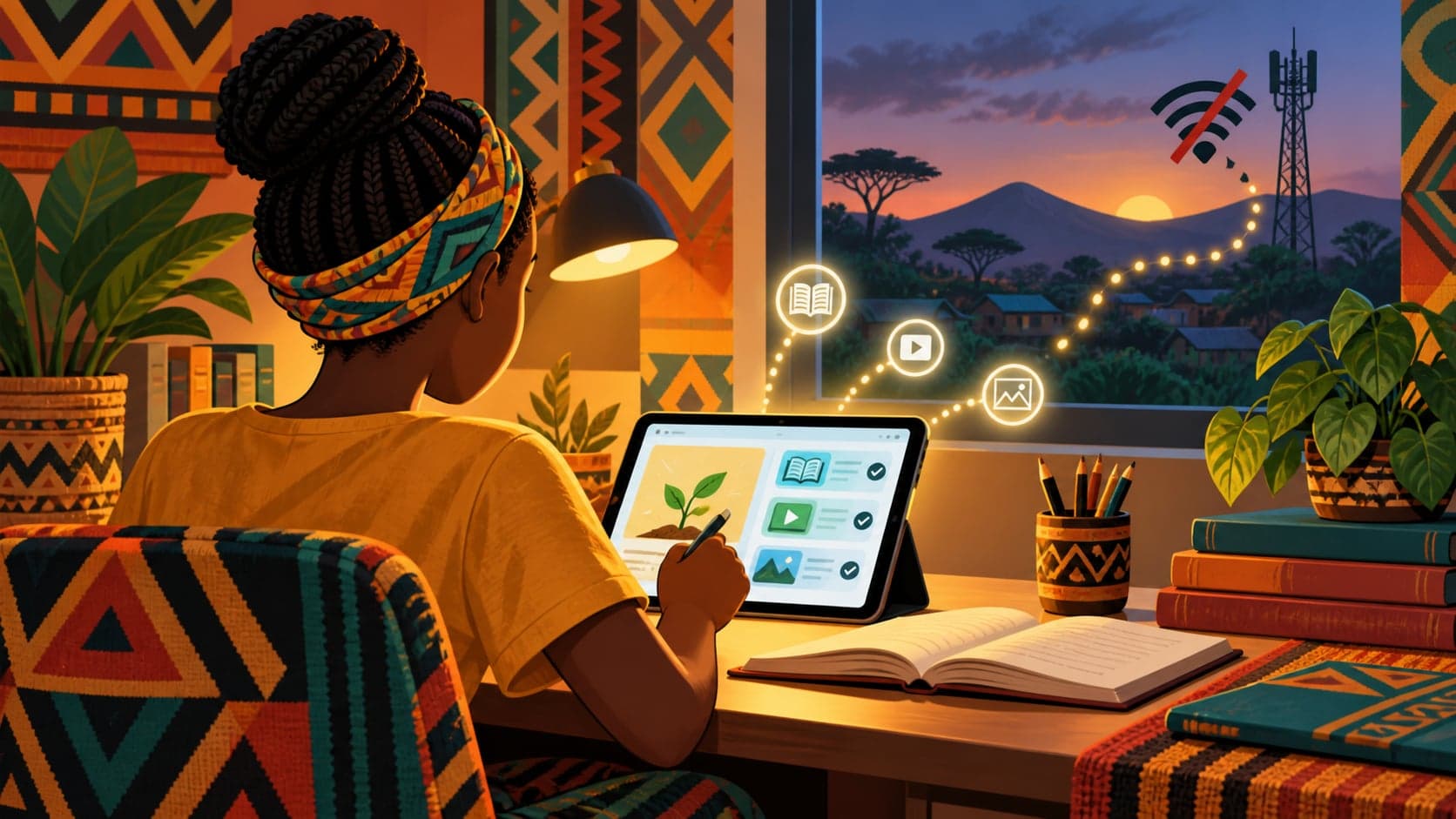
Imagine this: a learner is halfway through an important lesson when the internet suddenly disconnects. The video stops, the quiz disappears, the page refuses to load, and learning comes to an unexpected halt. For millions of learners around the world, this is an everyday reality.
Some learners live in areas where internet coverage is unreliable, others depend on expensive mobile data, and many experience power outages or travel to places with little or no network coverage. But should learning stop simply because the internet is unavailable? Fortunately, the answer is no.
This is exactly why Offline Mode has become one of the most valuable features of modern digital learning. It allows learners to continue studying even when their internet connection is weak or temporarily unavailable, making education more flexible, reliable, and accessible.
In this guide, you will discover what Offline Mode is, how it works, why it matters, the different ways it can be implemented, and how Elymica uses it to help learners keep learning anytime, anywhere.
What Is Offline Mode?
Offline Mode is a feature that allows learners to continue using a digital learning platform even when they have little, no, or unreliable internet connection. Instead of relying on continuous connectivity, the platform securely saves selected learning resources to the learner's device while they are online. These resources can then be accessed later without an internet connection, allowing learning to continue uninterrupted. When the internet becomes available again, the platform automatically updates their progress, saves completed work, and downloads any new content.
Simply put, Offline Mode allows learning to continue even when the internet is unavailable.
Why Is Offline Mode Important?
Many people assume that online learning only works with fast and reliable internet. In reality, internet access is not the same everywhere. Around the world, many learners experience weak mobile signals, expensive internet data, frequent power outages, poor network coverage in rural areas, long-distance travel, shared family internet connections, or temporary network interruptions. These challenges can make it difficult to stay connected and keep learning.
With Offline Mode learning becomes more consistent, dependable, and accessible, regardless of where the learner is.
Why This Matters More Than Ever
Digital learning is becoming part of everyday life for people around the world. Children learn from home, teachers deliver lessons remotely, parents support their children's education using mobile phones, professionals study after work to build new skills, universities offer online programmes, and schools increasingly combine classroom teaching with digital learning.
As education becomes more flexible and technology-driven, more people are relying on digital platforms to learn whenever and wherever it is convenient.
However, reliable internet access cannot always be guaranteed. Many learners still experience weak or unstable connections, limited data, or temporary network interruptions. This is where Offline Mode becomes especially important. It helps bridge the gap. Instead of expecting people to have perfect connectivity at all times, Offline Mode adapts technology to the realities of everyday life, making digital learning more practical, inclusive, and dependable for everyone.
How Does Offline Mode Work?
Although the technology behind Offline Mode is quite advanced, using it is simple. The entire process usually works as follows:
- Step 1: Connect to the Internet
The learner connects to the internet using Wi-Fi or mobile data, even if only for a short time. During this connection, the learning platform prepares the selected lessons and other learning resources for offline use.
- Step 2: Download Learning Resources
The platform downloads and stores selected learning resources on the learner's device - phone, tablet, or computer. Depending on the platform, these resources may include: lessons, reading materials, videos, audio recordings, images, worksheets, learning activities, assignments, practice exercises, and assessments (where supported).
Once these resources have been saved, they are ready to be used without an internet connection.
- Step 3: Continue Learning Offline
If the internet becomes unavailable, the learner can continue studying using the resources already saved on their device.
- Step 4: Reconnect and Synchronize
Once internet becomes available again, the platform synchronizes progress automatically. Completed work is safely updated, while any new lessons or resources become available for download. The learner can then continue learning from where they left off.
Offline Learning Is Not the Same as Downloading Files
Many people think Offline Mode simply means downloading a PDF or a few documents to read later. In reality, it offers a much richer learning experience.
A well-designed offline learning platform allows learners to continue engaging with their studies and track their learning progress almost as if they were still online. Instead of learning coming to a stop when the internet disappears, Offline Mode allows the learning experience to continue smoothly. The learner stays focused on learning, not on worrying about their internet connection.
Different Types of Offline Mode
Not all digital learning platforms use Offline Mode in the same way. Some only allow learners to download reading materials, while others let learners continue studying almost as if they were still connected to the internet. The type of Offline Mode available depends on how the platform has been designed. Below are some of the most common approaches.
- Downloadable Learning Resources
This is the simplest form of Offline Mode. Learners download learning materials to their device while they are connected to the internet and access them later without needing to be online. Resources that can be downloaded may include: PDF documents, eBooks, worksheets, and presentations.
This type of Offline Mode is especially useful for reading, revision, and independent study. However, it is generally limited to viewing downloaded files and may not support interactive learning activities.
- Cached Learning
Some learning platforms automatically save lessons and resources that a learner has recently viewed. This is known as cached learning.
If the internet connection is lost, the learner can continue using the content that has already been opened because it has been temporarily stored on the device. It may be automatically removed by the application or the device to free up storage space, making it unavailable later. If lessons or resources are updated while the learner is offline, the cached version remains unchanged until the device reconnects and downloads the latest version. On many platforms, learners cannot choose exactly what is cached. The system decides which recently viewed content to store, which may not always match what the learner wants to access later.
- Full Course Download
Some platforms allow learners to download an entire course before they begin studying. This means they can access multiple lessons, videos, activities, and other learning materials without needing an internet connection.
This approach is particularly useful for learners who are travelling, living in remote areas, or expecting to spend time in places with limited or no internet access.
- Mobile Offline Learning
Many modern learning platforms are designed specifically for smartphones and tablets, as these are the devices most learners use every day.
Mobile Offline Mode is optimized to use less storage space and less mobile data while still providing easy access to learning materials. This makes it especially valuable for learners who rely on mobile internet or have limited data bundles.
- Progressive Synchronization
One of the most advanced forms of Offline Mode is progressive synchronization. With this approach, learners continue studying normally while offline. They can complete lessons, activities, and other learning tasks without interruption. Once their device reconnects to the internet, the platform automatically synchronizes their progress, uploads completed work, updates learning records, and downloads any new content.
Because learners do not have to manually save or upload their work, progressive synchronization provides one of the smoothest and most convenient offline learning experiences available.
Benefits of Offline Mode
Offline Mode benefits everyone involved in the learning journey. Below are some of the key benefits enjoyed by different education stakeholders:
- For Learners: Offline Mode gives learners the freedom to study whenever and wherever it is most convenient. This flexibility helps learners build consistent study habits and stay on track with their learning goals. Education becomes part of everyday life rather than something limited by internet availability.
- For Parents: Offline Mode gives parents greater peace of mind by reducing the worry that poor internet connectivity will interrupt their children's education. It also helps families reduce mobile data costs by allowing learning resources to be downloaded in advance and used later without consuming additional data. Families can maintain a consistent learning routine. Parents spend less time dealing with technology problems and more time encouraging and supporting their children's learning.
- For Teachers: Offline Mode allows teachers to deliver learning with greater confidence, knowing that temporary internet challenges are less likely to disrupt lessons or independent study. They can assign learning activities knowing that learners can continue working offline and that their progress will be automatically synchronized once they reconnect to the internet.
- For Schools and Educational Institutions: Offline Mode helps schools and educational institutions provide more inclusive and equitable learning opportunities. Learners from cities, rural communities, and areas with limited internet access can continue learning without being disadvantaged by unreliable connectivity. By making digital learning more accessible, schools and institutions can reach more learners, improve participation, and support a wider range of learning environments without compromising the quality of education.
Common Misconceptions About Offline Mode
As Offline Mode becomes more common in digital learning, several misconceptions still exist. Understanding what it can and cannot do helps learners, parents, teachers, and institutions make better use of this valuable feature.
- "Offline Mode means I never need the internet."
This is one of the most common misunderstandings. Offline Mode does not eliminate the need for the internet altogether. An internet connection is still needed from time to time to download new lessons and learning resources, synchronize completed work, receive updates, and access online features such as live classes or discussions. Offline Mode simply reduces the need to stay connected all the time by allowing learning to continue when the internet is temporarily unavailable.
- "Offline Mode only works on computers."
This is not true. Many modern digital learning platforms are designed with smartphones and tablets in mind because these are the devices that most learners use every day. As a result, Offline Mode is often optimized for mobile devices, allowing learners to study conveniently wherever they are.
- "Offline Mode is only useful in rural areas."
Offline Mode benefits learners everywhere, not just those living in rural communities. Even in cities with good network coverage, people can experience slow internet, power outages, congested networks, or temporary service interruptions. Students travelling to school, families on holiday, professionals studying while commuting, and anyone learning on the move can all benefit from being able to continue learning without interruption.
- "Offline Mode provides fewer learning opportunities."
Not necessarily. While the exact features available offline vary from one platform to another, many modern learning platforms allow learners to access lessons, read learning materials, watch downloaded videos, complete activities, review notes, and continue studying almost seamlessly. When they reconnect to the internet, their progress is synchronized automatically, allowing them to continue learning without losing their work.
- "Offline Mode is difficult to use."
In most cases, it is designed to work quietly in the background. Learners simply download or prepare their learning resources while connected to the internet, continue studying when offline, and reconnect later to synchronize their progress. The technology handles most of the work automatically, making the learning experience simple and convenient.
Understanding these facts helps learners and families appreciate that Offline Mode is not a replacement for the internet. Instead, it is a practical solution that makes digital learning more reliable, flexible, and accessible by reducing the impact of internet interruptions on the learning experience.
Getting the Most from Offline Mode
A few simple habits can help learners get the best possible experience:
- Before travelling or going to an area with limited internet access, connect to the internet and download the lessons, videos, and other learning resources you are likely to need. Whenever possible, use a Wi-Fi connection for downloads, especially if the learning materials are large, as this can help reduce mobile data costs.
- It is also a good idea to keep your learning application updated so you can benefit from the latest features, improvements, and security updates. Make sure your device has enough available storage space for downloaded learning resources, and regularly reconnect to the internet so the platform can synchronize your progress, save completed work, and download any new lessons or updates.
- After you have completed your downloaded lessons and confirmed that your progress has been synchronized, you can remove older resources from your device to free up storage space for new learning materials. If you share a device with other family members, organizing downloaded content and synchronizing regularly can also help everyone enjoy a smoother learning experience.
By following these simple practices, learners can spend less time worrying about internet connectivity and more time focusing on learning. Offline Mode works best when it is used as part of a regular learning routine, helping make digital education enjoyable wherever learning takes place.
Offline Mode and Mobile-First Learning
Offline Mode becomes even more effective when it is combined with mobile-first learning. A mobile-first learning platform is designed with smartphones in mind from the very beginning, rather than being created for computers and later adapted for smaller screens. This is important because, for millions of people around the world, a smartphone is the easiest, most affordable, and sometimes the only device they use to access digital learning.
A mobile-first approach makes learning simpler, faster, and more convenient. Lessons are designed to fit smaller screens, menus are easy to navigate using touch controls, and pages load quickly while using less mobile data.
When mobile-first design is combined with Offline Mode, the learning experience becomes even more flexible. It allows learning to fit naturally into everyday life instead of requiring learners to plan their day around internet availability.
Together, mobile-first design and Offline Mode help remove many of the practical barriers that prevent people from learning consistently. They make digital education more accessible, affordable, and inclusive, enabling learners to continue building their knowledge and skills anytime, anywhere, and on the device that they use most.
Offline Mode Supports Educational Equity
Every learner deserves a fair opportunity to learn, regardless of where they live or the quality of their internet connection. Offline Mode helps create a more equitable learning environment by reducing the barriers that prevent many people from participating consistently in digital education. It is especially valuable for learners who experience limited or unreliable connectivity, high mobile data costs, geographic isolation, frequent travel, or temporary network interruptions. By allowing learning to continue despite these challenges, Offline Mode helps ensure that unexpected circumstances do not become obstacles to education.
Offline Mode also supports greater inclusion by giving more learners the flexibility to study at times and in places that work best for them. Whether someone lives in a remote community, travels regularly, shares an internet connection with others, or simply experiences occasional connectivity problems, they can continue learning with greater confidence and fewer interruptions.
Additionally, Offline Mode helps create more equal learning opportunities for people from different backgrounds and circumstances by enabling schools, educational institutions, and learning providers to reach a wider and more diverse audience, ensuring that more learners can participate, progress, and succeed in an increasingly digital world.
How Elymica Supports Offline Learning
At Elymica, we understand that learning does not always happen where there is fast, reliable internet. Learners study from cities, rural communities, homes, workplaces, while travelling, and in many other environments where connectivity can be limited or unpredictable. That is why Elymica has been designed to support learning in the real world, where internet access is not always guaranteed.
Elymica combines a mobile-first design with support for learning in low-bandwidth and intermittent connectivity environments, making it easier for learners to access education using the devices they already have, including smartphones, tablets, and computers. The platform is optimized to perform efficiently, helping reduce the impact of slow or unreliable internet connections while providing a smooth and user-friendly learning experience.
Offline Mode enables learners to continue studying even when the internet becomes unavailable. Once they reconnect, Elymica automatically synchronizes completed work, learning progress, and other updates, ensuring that learners, parents, teachers, schools, and educational institutions all have access to the latest information without requiring manual updates.
Because Elymica is built as a unified digital education infrastructure, Offline Mode supports a wide range of learning environments rather than just one type of education. Whether learning takes place in a classroom, at home, or on the move, learners can continue making progress with confidence. This makes Elymica well suited for:
- Formal school programmes
- Homeschooling
- Supplementary learning
- Teacher-guided learning
- Self-paced learning
- Professional development
- Community and lifelong learning initiatives.
Offline Mode also works alongside Elymica's wider ecosystem of learning tools. Learners can continue to benefit from structured learning pathways, personalized dashboards, progress tracking, assessments, collaboration spaces, and access to high-quality educational content from trusted publishers and educators. Parents can continue monitoring their children's learning, while teachers and institutions receive updated progress once learners reconnect.
By reducing the impact of unreliable internet, Elymica empowers publishers, educators, schools, educational institutions, parents, and learners to create, deliver, access, manage, and experience high-quality education with greater confidence and meaningful impact.
Final Thoughts
Offline Mode is not a replacement for online learning - it is an important enhancement that makes digital learning more practical, flexible, and reliable. Instead of requiring learners to stay connected to the internet every moment they study, it gives them the freedom to learn whenever and wherever it is most convenient.
As digital education continues to grow, learners expect learning experiences that fit naturally into their daily lives. They need technology that adapts to their circumstances rather than creating additional barriers. Offline Mode helps make this possible.
Looking ahead, the future of digital education will be shaped by learning platforms that combine the power of cloud-based technology with intelligent offline capabilities, enabling learners to move seamlessly between online and offline learning without disrupting their progress.
As technology continues to evolve, platforms that support both connected and offline learning will help make education more accessible, resilient, and inclusive.
Frequently Asked Questions (FAQs)
What is Offline Mode?
Offline Mode is a feature that allows learners to continue using selected parts of a digital learning platform even when they have little, no, or unreliable internet connection. Learning resources are saved to the learner's device while they are online, allowing them to keep studying offline and synchronize their progress when they reconnect.
How does Offline Mode work?
Offline Mode works by downloading or saving selected learning resources to a learner's device while an internet connection is available. The learner can then study, read lessons, watch downloaded videos, and complete supported learning activities without being online. Once the internet is available again, the platform automatically synchronizes progress and updates learning records.
Why is Offline Mode important?
Offline Mode makes digital learning more reliable by reducing interruptions caused by poor or unstable internet connections. It helps learners continue studying during travel, power outages, or network interruptions, making education more accessible, flexible, and inclusive for people in different locations and learning environments.
What is cached learning?
Cached learning is a type of Offline Mode in which a learning platform temporarily stores lessons and resources that a learner has already opened. If the internet connection is lost, the learner can continue using that previously viewed content until they reconnect. Unlike full Offline Mode, cached learning usually does not allow learners to choose or download entire courses in advance.
Can you study without internet?
Yes. Many modern digital learning platforms support offline learning by allowing selected lessons and learning resources to be downloaded in advance. Once saved on the learner's device, these resources can be accessed without an internet connection, enabling learning to continue until the learner reconnects and synchronizes their progress.
What are the benefits of Offline Mode?
Offline Mode makes learning more flexible, reliable, and accessible. It reduces the impact of internet interruptions, lowers mobile data costs, supports learning while travelling, encourages consistent study habits, and helps schools, parents, teachers, and learners provide and access quality education in a wider range of environments.
Is Offline Mode the future of digital learning?
Offline Mode is becoming an essential part of modern digital learning because it makes online education more practical and resilient. As digital learning continues to expand globally, platforms that combine cloud-based learning with intelligent offline capabilities will provide more flexible, inclusive, and dependable learning experiences.
How does Elymica support offline learning?
Elymica supports offline learning through its mobile-first digital education infrastructure, designed for low-bandwidth and intermittent connectivity environments. Where Offline Mode is available, learners can prepare selected learning resources in advance, continue studying with minimal interruption, and automatically synchronize their progress once they reconnect. Combined with personalized dashboards, assessments, progress tracking, collaboration tools, and curriculum-aligned content, Elymica helps make learning continuous, accessible, and dependable across formal, informal, and non-formal learning programmes.
Written by Elymica Editorial · Editorial Team
← More from the Journal